Gracias por contactar
Obtenga TaxReliefNow.com!
o embargo de salario: llámenos ahora al + (88) 260 941 para obtener ayuda inmediata.



Actualización de IRS2Go soluciona fallas de acceso
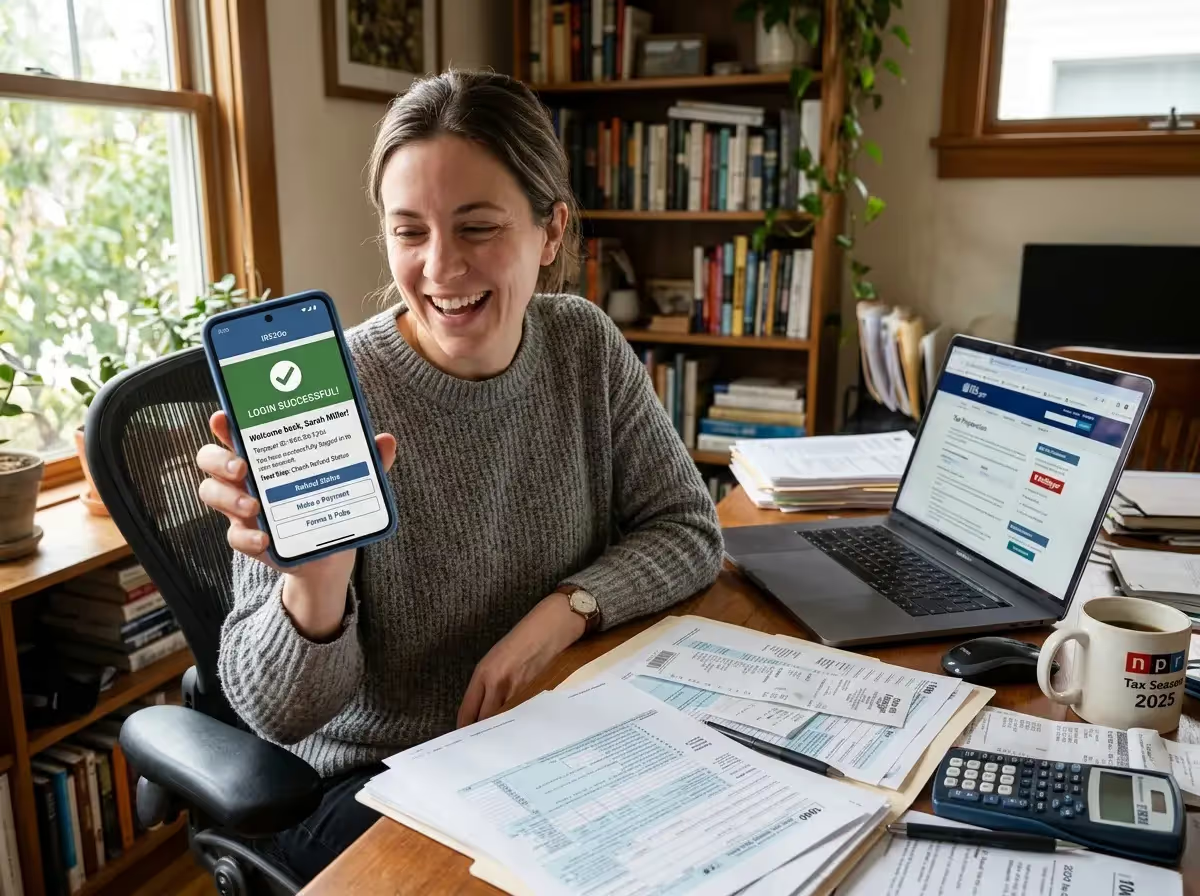
El Servicio de Impuestos Internos publicó una actualización de la aplicación móvil IRS2Go después de que algunos contribuyentes reportaran problemas de inicio de sesión durante la temporada de impuestos de 2025. La aplicación móvil ayuda a los usuarios a verificar el estado de los reembolsos, hacer un seguimiento de un reembolso del impuesto federal sobre la renta y acceder a las opciones de pago mientras administran una declaración de impuestos sobre la renta. La actualización tiene como objetivo mejorar la estabilidad de los contribuyentes que utilizan la aplicación para teléfonos inteligentes para controlar su reembolso de impuestos o acceder a los recursos del IRS.
Las actualizaciones promueven la estabilidad durante la temporada alta de presentación
La aplicación móvil IRS2Go brinda una manera conveniente para que los contribuyentes accedan a las herramientas del Servicio de Impuestos Internos sin iniciar sesión en una computadora de escritorio. La aplicación para teléfonos inteligentes permite a los usuarios verificar el estado del reembolso, buscar ayuda para la preparación de impuestos y explorar las opciones de pago para una declaración de impuestos.
Los contribuyentes también pueden usar la aplicación móvil para encontrar lugares cercanos de asistencia tributaria voluntaria y asesoramiento tributario para personas mayores. Estos programas ofrecen asistencia gratuita para la preparación de la declaración de impuestos a los contribuyentes que reúnen los requisitos, incluidas las personas mayores y las personas que reúnen los requisitos para el crédito tributario por ingreso del trabajo o el crédito tributario por hijos.
El IRS distribuye la aplicación móvil IRS2Go a través de plataformas oficiales, incluidas la Apple App Store, Google Play Store, Amazon Appstore y iTunes App Store. Se recomienda a los usuarios con iPhones o dispositivos Android de Apple que descarguen la aplicación en tiendas verificadas para asegurarse de que utilizan la aplicación oficial para teléfonos inteligentes.
El seguimiento de reembolsos sigue siendo la herramienta más popular de la aplicación
Muchos contribuyentes confían en la aplicación móvil IRS2Go para rastrear su reembolso de impuestos sobre la renta mediante la herramienta ¿Dónde está mi reembolso? rastreador de estado. El sistema permite a los contribuyentes seguir el progreso de un reembolso de impuestos federales en tres etapas: declaración recibida, declaración aprobada y reembolso enviado.
Según el Servicio de Impuestos Internos, la información sobre los reembolsos generalmente aparece dentro de las 24 horas posteriores a la aceptación de una declaración presentada electrónicamente a través de un software tributario o un programa de software tributario gratuito. Una declaración de impuestos en papel suele tardar cuatro semanas o más antes de que la información sobre el estado del reembolso esté disponible.
El rastreador del estado de los reembolsos se actualiza una vez al día, normalmente durante la noche. Si compruebas el sistema varias veces el mismo día, no se producirán nuevas actualizaciones.
Problemas de inicio de sesión reportados por algunos contribuyentes
Durante la temporada de presentación de impuestos de 2025, algunos contribuyentes tuvieron problemas para iniciar sesión al intentar acceder a los servicios a través de la aplicación móvil IRS2Go. Los informes incluían errores de autenticación, solicitudes repetidas para volver a registrarse y sesiones que expiraban antes de que se pudiera completar una tarea.
Los entornos móviles pueden presentar desafíos técnicos que no aparecen en los sistemas de escritorio. Un smartphone que cambie del servicio Wi-Fi al servicio celular puede interrumpir la conexión entre la aplicación móvil y los sistemas del IRS.
También pueden producirse problemas de compatibilidad cuando las actualizaciones del sistema operativo en los dispositivos Android o los modelos de iPhone de Apple afectan a la forma en que las páginas web integradas se comunican con los servicios en línea del IRS.
Los sistemas de verificación de identidad añaden protecciones de seguridad
El acceso a ciertos servicios requiere la verificación de identidad para proteger a los contribuyentes contra el robo de identidad o los intentos de violación de datos. Estos sistemas se basan en medidas de verificación vinculadas a información como el número de seguro social, el estado civil y la información de la cuenta bancaria.
Si el proceso de autenticación falla, es posible que el usuario reciba un error de inicio de sesión o que se le pida que reinicie el proceso. Estas medidas de seguridad tienen por objeto evitar actividades fraudulentas que impliquen la emisión de un cheque de reembolso o solicitudes de depósito directo no autorizadas.
El Servicio de Impuestos Internos afirma que estos sistemas de verificación ayudan a proteger los detalles de las instituciones financieras y otros registros tributarios confidenciales conectados a la cuenta de un contribuyente.
Las correcciones de errores y el mantenimiento tienen como objetivo mejorar la confiabilidad
La última actualización que aparece en la App Store de Apple y Google Play Store describe los cambios como mejoras de mantenimiento y correcciones de errores. Este tipo de actualizaciones suelen solucionar problemas de compatibilidad de dispositivos, fallos de software y problemas de rendimiento que se descubren después de que millones de contribuyentes empezaran a usar la aplicación durante la temporada alta de impuestos.
Los períodos de uso intensivo pueden suponer una gran demanda para los sistemas que admiten el seguimiento de reembolsos y las herramientas de pago. Las actualizaciones están destinadas a mejorar la estabilidad de la conexión entre la aplicación para teléfonos inteligentes y los sistemas del IRS.
Los usuarios pueden notar mejoras, que incluyen menos interrupciones al verificar el estado de los reembolsos, una navegación más fluida entre los recursos del IRS y conexiones más rápidas a herramientas como Direct Pay del IRS.
Las herramientas móviles brindan acceso a las opciones de pago
Además del seguimiento de los reembolsos, la aplicación móvil IRS2Go ayuda a los contribuyentes a presentar sus pagos para cubrir el saldo del impuesto sobre la renta. La aplicación vincula a los usuarios con Direct Pay del IRS, que les permite realizar pagos directamente desde una cuenta bancaria sin cargos adicionales.
Los contribuyentes también pueden realizar un pago con tarjeta de débito o crédito a través de un procesador de pagos autorizado. Estos métodos de pago brindan flexibilidad adicional a las personas que necesitan resolver un saldo adeudado.
La aplicación móvil ofrece acceso rápido a estas opciones de pago para que los contribuyentes puedan gestionar las obligaciones relacionadas con su reembolso o declaración de impuestos federales desde un teléfono inteligente.
Los servicios digitales continúan expandiéndose para los contribuyentes
La aplicación móvil IRS2Go es parte de un esfuerzo mayor para ampliar los servicios digitales para los contribuyentes. El Plan Operativo Estratégico del Servicio de Impuestos Internos describe las mejoras diseñadas para ayudar a los contribuyentes a administrar sus registros tributarios electrónicamente.
Un ejemplo es el sistema de cuentas en línea del IRS, que permite a los contribuyentes revisar los registros tributarios, el historial de pagos y los saldos asociados con su estado de declaración de impuestos.
Los contribuyentes suelen usar ambas herramientas juntas. La aplicación para teléfonos inteligentes brinda un acceso rápido al estado de los reembolsos y a los pagos, mientras que la cuenta en línea ofrece una visión más profunda de los registros tributarios y la actividad de la cuenta.
Los recursos del IRS ayudan a los contribuyentes a navegar por la presentación
La aplicación móvil también conecta a los usuarios con los recursos del IRS diseñados para mejorar la comprensión de las leyes tributarias por parte de los contribuyentes. Estos materiales incluyen consejos tributarios, videos útiles y videos de YouTube que explican créditos como el crédito tributario por ingreso del trabajo y el crédito tributario por hijos.
Los recursos adicionales incluyen el Servicio del Defensor del Contribuyente, las Clínicas para Contribuyentes de Bajos Ingresos, la Publicación 4134 y la Declaración de Derechos del Contribuyente. Estos servicios brindan orientación a los contribuyentes que necesitan ayuda para resolver problemas relacionados con sus declaraciones de impuestos sobre la renta.
Los contribuyentes también pueden localizar los programas de asistencia cercanos mediante la aplicación de mapas dentro de la aplicación para teléfonos inteligentes.
La actualización de la aplicación puede resolver los problemas de acceso
Los contribuyentes que tengan problemas para iniciar sesión deben instalar la última versión de la aplicación móvil IRS2Go en las tiendas oficiales, como Apple App Store, Google Play Store o Amazon Appstore. La actualización de la aplicación para teléfonos inteligentes a menudo resuelve los problemas de compatibilidad causados por versiones desactualizadas.
Si los problemas continúan, los contribuyentes pueden usar la sección «¿Dónde está mi reembolso?» herramienta directamente en IRS.gov para verificar el estado de los reembolsos del IRS. El sistema requiere un número de Seguro Social, el estado civil y el monto del reembolso.
En situaciones que involucren reembolsos retrasados, es posible que los contribuyentes deban presentar el formulario 3911, Declaración del contribuyente sobre el reembolso, que puede ser revisado por la Subdivisión de Reclamaciones de Cheques de la Oficina del Servicio Fiscal.
Fuentes
- Servicio de Impuestos Internos — Aplicación móvil IRS2Go
- Servicio de Impuestos Internos: verifique el estado de un reembolso usando «¿Dónde está mi reembolso?»
- Internal Revenue Service — Cuenta en línea para individuos
Por William McLee, editor en jefe y experto en impuestos: obtenga una desgravación fiscal ahora
Si necesita ayuda con un problema fiscal tratado en este artículo, puede comunicarse con un profesional fiscal con licencia en Get Tax Relief Now al (888) 260-9441 o visite nuestra página de contacto.
¡Gracias por enviarnos!
Iniciar mi revisión de caso confidencial y sin prejuicios
¿Listo para detener las multas y embargos? Complete el formulario o llámenos/envíenos un correo electrónico directamente; nuestros expertos están listos para ayudarle.

¿Tiene alguna pregunta?
+ (888) 260 9441
Escribir correo electrónico
info@gettaxreliefnow.com
Dirección