Thank you for contacting
GetTaxReliefNow.com!
or wage garnishment — call us now at +(888) 260 9441 for immediate help.



IRS2Go Mobile App Update Fixes Login Issues for 2025 Filers
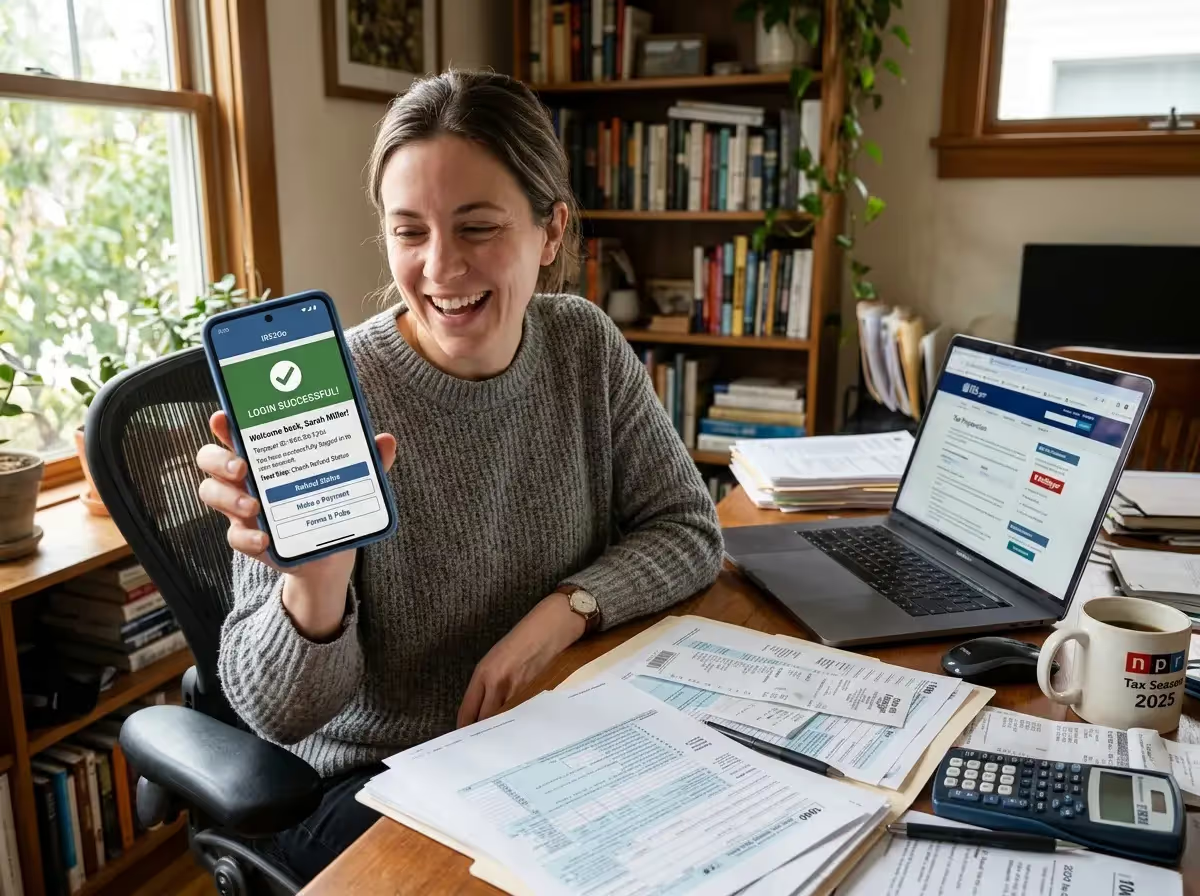
The Internal Revenue Service released an update to the IRS2Go Mobile App after some taxpayers reported login problems during the 2025 filing season. The mobile app helps users check refund status, track a federal income tax refund, and access payment options while managing an income tax return. The update aims to improve stability for taxpayers using the smartphone app to monitor their tax refund or access IRS resources.
Updates Promote Stability During Peak Filing Season
The IRS2Go Mobile App provides a convenient way for taxpayers to access Internal Revenue Service tools without logging in on a desktop computer. The smartphone app allows users to check the refund status, locate tax preparation assistance, and explore payment options for an income tax return.
Taxpayers can also use the mobile app to find nearby Volunteer Income Tax Assistance and Tax Counseling for the Elderly locations. These programs offer free tax preparation assistance for eligible taxpayers, including seniors and individuals who qualify for the Earned Income Tax Credit or Child Tax Credit.
The IRS distributes the IRS2Go Mobile App through official platforms, including the Apple App Store, Google Play Store, Amazon Appstore, and the iTunes App Store. Users with Apple iPhones or Android devices are encouraged to download the app from verified storefronts to ensure they use the official smartphone app.
Refund Tracking Remains the App’s Most Popular Tool
Many taxpayers rely on the IRS2Go Mobile App to track their income tax refund using the Where’s My Refund? status tracker. The system allows taxpayers to follow the progress of a federal tax refund through three stages: return received, return approved, and refund sent.
According to the Internal Revenue Service, refund information generally appears within 24 hours after an e-filed return is accepted through tax software or free tax software programs. A paper tax return typically takes four weeks or longer before refund status information becomes available.
The refund status tracker updates once per day, usually overnight. Checking the system multiple times on the same day will not produce new updates.
Login Issues Reported by Some Taxpayers
During the 2025 filing season, some taxpayers experienced login issues while trying to access services through the IRS2Go Mobile App. Reports included authentication errors, repeated prompts to re-register, and sessions that expired before a task could be completed.
Mobile environments can introduce technical challenges that do not appear on desktop systems. A smartphone switching from Wi-Fi to cellular service may interrupt the connection between the mobile app and IRS systems.
Compatibility issues may also occur when operating system updates on Android devices or Apple iPhone models affect how embedded web pages communicate with IRS online services.
Identity Verification Systems Add Security Protections
Access to certain services requires identity verification to protect taxpayers from identity theft or attempted data breaches. These systems rely on verification steps tied to information such as a Social Security number, filing status, and bank account information.
If the authentication process fails, the user may receive a login error or be prompted to restart the process. These safeguards are intended to prevent fraudulent activity involving a refund check or unauthorized direct deposit requests.
The Internal Revenue Service says these verification systems help protect financial institution details and other sensitive tax records connected to a taxpayer’s account.
Bug Fixes and Maintenance Aim to Improve Reliability
The latest update listed in the Apple App Store and Google Play Store describes the changes as maintenance improvements and bug fixes. Updates like these often address device compatibility problems, software crashes, and performance issues discovered after millions of taxpayers begin using the app during peak tax seasons.
Heavy usage periods can place significant demand on systems that support refund tracking and payment tools. Updates are intended to improve connection stability between the smartphone app and IRS systems.
Users may notice improvements, including fewer interruptions when checking refund status, smoother navigation between IRS resources, and faster connections to tools such as IRS Direct Pay.
Mobile Tools Provide Access to Payment Options
In addition to refund tracking, the IRS2Go Mobile App helps taxpayers submit payments toward an income tax balance. The app links users to IRS Direct Pay, which lets them make payments directly from a bank account without additional fees.
Taxpayers can also make a debit or credit card payment through an authorized payment processor. These payment methods provide additional flexibility for individuals who need to resolve a balance due.
The mobile app offers quick access to these payment options so taxpayers can manage obligations related to their federal income tax refund or tax return from a smartphone.
Digital Services Continue Expanding for Taxpayers
The IRS2Go Mobile App is part of a larger effort to expand digital services for taxpayers. The Internal Revenue Service Strategic Operating Plan outlines improvements designed to help taxpayers manage their tax records electronically.
One example is the IRS Online Account system, which allows taxpayers to review tax records, payment history, and balances associated with their tax filing status.
Taxpayers often use both tools together. The smartphone app provides quick access to refund status and payments, while the online account offers a deeper view of tax records and account activity.
IRS Resources Help Taxpayers Navigate Filing
The mobile app also connects users to IRS resources designed to improve taxpayer understanding of tax laws. These materials include tax tips, helpful videos, and YouTube videos explaining credits such as the Earned Income Tax Credit and Child Tax Credit.
Additional resources include the Taxpayer Advocate Service, Low Income Taxpayer Clinics, Publication 4134, and the Taxpayer Bill of Rights. These services provide guidance to taxpayers who need help resolving issues related to their income tax returns.
Taxpayers can also locate nearby assistance programs using the maps application within the smartphone app.
Updating the App May Resolve Access Problems
Taxpayers who encounter login problems should install the latest version of the IRS2Go Mobile App through official storefronts such as the Apple App Store, Google Play Store, or Amazon Appstore. Updating the smartphone app often resolves compatibility issues caused by outdated versions.
If problems continue, taxpayers can use the "Where’s My Refund?" tool directly on IRS.gov to check IRS Refund Status. The system requires a Social Security number, filing status, and refund amount.
In situations involving delayed refunds, taxpayers may need to submit Form 3911, Taxpayer Statement Regarding Refund, which can be reviewed by the Check Claims Branch at the Bureau of the Fiscal Service.
Sources
- Internal Revenue Service — IRS2Go Mobile App
- Internal Revenue Service — Check the Status of a Refund Using “Where’s My Refund?”
- Internal Revenue Service — Online Account for Individuals
By William Mc Lee, Editor-in-Chief & Tax Expert—Get Tax Relief Now
If you need help with a tax issue discussed in this article, you can reach a licensed tax professional at Get Tax Relief Now at (888) 260-9441 or visit our contact page.
Thank you for submitting!
Start My Confidential, No-Judgment Case Review
Ready to stop penalties and garnishments? Complete the form or call/email us directly—our experts are standing by to assist.

Have a question?
+ (888) 260 9441
Write email
info@gettaxreliefnow.com
Address